Unify your front-of-house, smart kitchen displays, and AI phone orders in one blazing-fast platform. Scale your operations without the extra hardware fees.
Powered by industry-leading technology
Everything you need to run a high-volume restaurant, fully synchronized in real-time.
Instant customer registration, dynamic QR codes, and lightning-fast autocomplete. Connect Drive-Thru, Delivery, and Dine-In under one profile.
Touch-enabled Kitchen Display Systems. Color-coded meats and modifiers keep your kitchen and runners perfectly synchronized. Included for free.
Built-in webhooks for Twilio and Vapi. Let Artificial Intelligence answer your phones and inject orders directly into the kitchen. Zero missed calls.
Say goodbye to shrinkage. Connect directly to your NVR/DVR security cameras to overlay live receipts on video feeds. Includes built-in stealth screen recording.
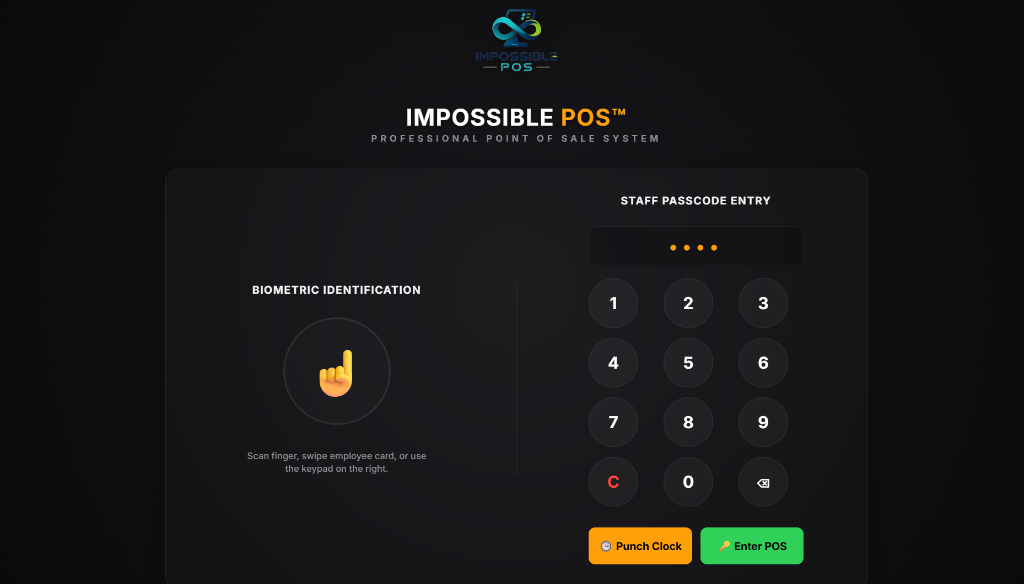
Forget passwords and swipe cards. Secure employee access via Fingerprint scanner. Get hyper-detailed reporting by person, hour, and station with lightning-fast UI buttons.
Say goodbye to counter clutter and 5 different tablets. Orders from DoorDash, Uber Eats, Grubhub, and your own online menu flow directly into your POS and Kitchen KDS with automated color coding and 1-second barcode driver dispatch.
Impossible POS is built on a modern hybrid engine. Run it natively as a desktop app, or load it via Kiosk Web Mode on any mobile operating system. No need to buy expensive proprietary tablets.
Windows (.exe)
• Windows 10 or 11
• Home or Pro Editions
• 4GB RAM minimum
Android & Tablets (Cloud)
• Android 10 or newer
• Google Chrome installed
• Sunmi OS compatible
Enterprise Grade
Biometric Security
"For years, after working deep inside the restaurant, bar, and bakery industry, we witnessed the exact same nightmare over and over: legacy POS companies charging thousands of dollars upfront, trapping business owners in rigid proprietary hardware, and billing $100 extra for every kitchen screen, tablet, or printer."
When we decided to build an all-in-one operating system that included unlimited free kitchen displays, precision liquor pour control, military-grade offline resilience, and autonomous AI phone order answering with zero hardware markups... traditional POS salespeople laughed and said:
We refused to accept that. We engineered the impossible. That is why our software is proudly named Impossible POS.
Every capability below is built directly into our core engine. Zero third-party patchwork.
Other companies charge $500 to $1,500 for "onboarding". We believe you shouldn't pay a single cent just to get your system ready. Our technical team connects via RustDesk and configures your menu, tax rates, and printers completely free of charge.
Get the lightweight Windows installer or open the Kiosk link on any tablet.
Use our intuitive cloud dashboard to upload products, modifiers, and set tax rates.
Connect your printers automatically and start crushing lines faster than ever.
Pay only for the core terminals. We give you the entire kitchen ecosystem for free.
Everything you need to run the front and back of house.
Advanced inventory, liquor dispensing, wine & bar tab management.
Everything you need to know about Impossible POS.
Yes! Impossible POS includes an optional, 1-click USDA EBT (SNAP) and WIC compliance suite. For carnicerías, bodegas, markets, and authorized food trucks, it provides automatic split-tender calculations and timestamped NVR camera & screen recording synchronization to protect your store against government audits. If you operate a standard bar or restaurant, this module stays 100% hidden with zero screen clutter.
Installing Impossible POS on any Android tablet takes under 10 seconds: Open your cloud link in Google Chrome, tap the menu (⋮) in the top-right corner, and tap "Install App". The system installs directly to your home screen with the official Impossible POS logo and launches in 100% full-screen Kiosk Mode without browser bars or URL inputs.
Not at all. We believe in open ecosystems. Impossible POS runs flawlessly on your existing Windows PCs, Apple iPads, Android Tablets, and standard Epson or Star Micronics thermal printers.
Your restaurant won't skip a beat. Our system is built with a resilient offline-first architecture. You can continue ringing up orders and printing tickets, and the system will sync with the cloud automatically once connection is restored.
No. Unlike our competitors who charge you per screen, we include unlimited KDS and Line Buster tablet connections for free. You only pay for the main cash register terminals.
Extremely. We offer Biometric Fingerprint authentication for your employees and direct NVR/DVR security camera integrations to completely eliminate shrinkage and unauthorized access.
Impossible POS enforces strict cash control and audit security: transactions and checkout cannot proceed until the cashier on duty opens their shift and enters their starting cash drawer float by denomination ($100, $50, $20, etc.). At closing, the system performs a Blind Drop count where the cashier counts cash without seeing expected numbers, eliminating cash skimming and computing exact overage or shortage on the Z-Report.
Yes! In Setup > Hardware > Caja, you can assign the station role to either 'Cashier Terminal (Full Register with Cash Drawer & Checkout)' or 'Waiter Station (Order Taking & Kitchen Only)'. Waiter stations allow servers to start tables, send orders to the kitchen/bar KDS, and print customer checks, but they cannot take cash payments or open cash drawers, removing the need for a cash float.
If your counter has single-monitor terminals without a customer-facing screen, go to Setup > Hardware > Caja and click 'Print Customer QR Sign'. Select your station (Station 1, Station 2, etc.) to print a high-resolution, branded pairing sign on 80mm receipt paper or 8.5x11 sheets. Laminate the sign and display it on the back of the monitor facing the customer. Each station prints a unique QR code so the customer connects directly to the cashier serving them.
All incoming orders from DoorDash, Uber Eats, Grubhub, and your online web store route directly into Impossible POS and kitchen KDS screens with official color coding (DoorDash Red, Uber Eats Green, Grubhub Orange, Web Blue). When the delivery driver arrives, the cashier simply scans the QR code or barcode on the driver's phone with a USB barcode scanner to instantly verify and dispatch the order—zero counter clutter and zero third-party hardware tablets.
Yes! You have 100% free choice between Telegram Bot (100% free with unlimited notifications and zero monthly carrier fees) and traditional Twilio SMS. In Setup > Hardware > Food Hub, simply enter your Telegram bot token created via @BotFather. Customers scan the QR on their receipt, tap 'Start' on Telegram, and get instant cooking and pickup alerts without costing the restaurant a single penny.